
In the realm of software development, testing plays a pivotal role in ensuring the quality and reliability of applications. As the complexity and scale of software systems continue to grow, manual testing becomes increasingly challenging and time-consuming. This is where test automation tools step in, offering a powerful solution to streamline and enhance the testing process.
Test automation tools empower developers and testers to create automated test scripts that can execute a wide range of tests, from simple functional checks to complex performance evaluations. By leveraging these tools, teams can significantly reduce the time and effort required for testing, while also improving the accuracy and coverage of their test suites.
Introduction

Test automation is an essential practice in software testing that enables the execution of test cases automatically. It helps to improve the efficiency, accuracy, and reliability of the testing process, making it an invaluable tool for both beginners and experienced testers.
Statistics show that test automation can reduce testing time by up to 80%, while increasing test coverage by up to 40%. Additionally, automated tests can be run repeatedly, allowing for continuous testing and early detection of defects.
Key Concepts
To understand test automation, it is important to familiarize yourself with a few key concepts:
- Test cases: Specific scenarios that define the expected behavior of the software under test.
- Test scripts: Automated instructions that execute test cases and compare actual results with expected outcomes.
- Test suites: Collections of related test cases that are executed together to cover a specific aspect of the software’s functionality.
Types of Test Automation Tools
Test automation tools can be categorized based on their functionality and purpose. Each type of tool has its own advantages and disadvantages, so it’s important to choose the right tool for the job.
Here are some of the most popular types of test automation tools:
Functional Testing Tools
Functional testing tools are used to test the functionality of an application. They can be used to verify that the application meets its requirements and that it works as expected.
- Selenium
- Appium
- SoapUI
Performance Testing Tools
Performance testing tools are used to test the performance of an application. They can be used to measure the application’s response time, throughput, and resource usage.
- JMeter
- LoadRunner
- WebLOAD
Security Testing Tools
Security testing tools are used to test the security of an application. They can be used to identify vulnerabilities that could be exploited by attackers.
- Nessus
- Burp Suite
- OWASP ZAP
Unit Testing Tools
Unit testing tools are used to test individual units of code. They can be used to verify that the code meets its requirements and that it works as expected.
- JUnit
- NUnit
- xUnit
Features to Consider When Choosing a Test Automation Tool

Selecting the right test automation tool is crucial for beginners. Consider these key features to make an informed decision:
Ease of Use
Look for tools with intuitive user interfaces, clear documentation, and low learning curves. This simplifies the onboarding process and allows beginners to get started quickly.
Support for Different Technologies
Ensure the tool supports the technologies used in your project, such as web applications, mobile apps, or APIs. This avoids the need for multiple tools and streamlines the testing process.
Reporting Capabilities
Comprehensive reporting capabilities provide insights into test results, identify areas for improvement, and facilitate collaboration within the team. Look for tools that offer customizable reports and integrations with issue tracking systems.
Integration with CI/CD Pipelines
Consider tools that integrate with your continuous integration and continuous delivery (CI/CD) pipelines. This automates the testing process, reduces manual intervention, and speeds up the software development cycle.
Pricing and Support
Evaluate the pricing models and support options offered by different tools. Choose a tool that fits your budget and provides adequate support to ensure a smooth implementation and ongoing maintenance.
Getting Started with Test Automation
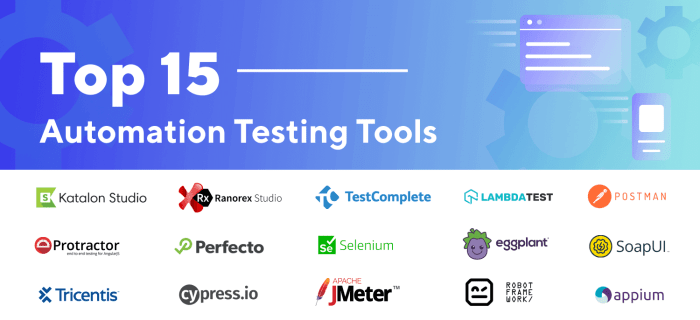
Setting up and utilizing a test automation tool involves a series of essential steps. Let’s delve into the process and provide a walkthrough to help you get started.
The initial step is to select a suitable test automation tool that aligns with your project’s requirements. Once you have chosen the tool, proceed with its installation and configuration.
Creating Test Cases
To create basic test cases, begin by identifying the application’s functionality that needs to be tested. Define the test scenarios and the expected outcomes for each test case.
Use the test automation tool’s built-in features to create automated scripts that simulate user actions and verify the expected outcomes. Ensure that the test cases cover various scenarios and conditions.
Executing Test Cases
Once the test cases are created, execute them using the test automation tool. The tool will perform the actions defined in the test cases and compare the actual outcomes with the expected ones.
Analyze the test results to identify any failures or discrepancies. Address any issues promptly to ensure the application meets the desired quality standards.
Organizing and Maintaining Test Automation Scripts
As the number of test cases grows, it becomes crucial to organize and maintain them effectively. Use a version control system to track changes and collaborate with team members.
Consider using a test case management tool to centralize test cases, track their execution history, and manage defects. This helps ensure the test automation suite remains organized and manageable.
5. Challenges and Troubleshooting

Embarking on test automation can present a myriad of challenges for beginners. These may range from test failures and flaky tests to performance bottlenecks. However, with a proactive approach and the right troubleshooting techniques, these obstacles can be effectively overcome.
Test Failures
Test failures are an inevitable part of test automation. The key lies in identifying the root cause and implementing appropriate solutions.
- Incorrect Test Case: Verify that the test case accurately reflects the intended functionality.
- Environmental Issues: Check if changes in the testing environment, such as browser updates or system configurations, are impacting the test results.
- Data Issues: Ensure that the test data is valid and соответствует the expected input.
Flaky Tests
Flaky tests are those that produce inconsistent results, sometimes passing and sometimes failing. These can be particularly frustrating to debug.
- Test Environment: Ensure that the test environment is stable and consistent across test runs.
- Test Data: Verify that the test data is reliable and does not cause unpredictable behavior.
- Test Script: Review the test script for any race conditions or dependencies that may lead to flakiness.
Performance Bottlenecks
Performance bottlenecks can significantly slow down test execution, making it crucial to identify and address them promptly.
- Overloaded Test Environment: Consider distributing tests across multiple machines or using cloud-based testing platforms.
- Inefficient Test Script: Optimize the test script to reduce unnecessary steps or resource-intensive operations.
- Test Data Volume: Adjust the test data volume to a manageable level, especially for large-scale testing.
6. Advanced Techniques

In this section, we will delve into advanced techniques that can enhance the efficiency and effectiveness of your test automation efforts.
We will explore concepts such as data-driven testing, parallel testing, and continuous integration. We will also provide examples of how these techniques can be implemented using specific test automation tools.
Data-Driven Testing
Data-driven testing involves separating test data from the test code. This approach allows you to easily reuse test cases with different sets of data, making it ideal for testing scenarios with large or complex data sets.
To implement data-driven testing, you can use a CSV file or a database to store your test data. You can then use a data provider in your test automation framework to read the data and pass it to the test cases.
Parallel Testing
Parallel testing involves running multiple test cases simultaneously on different machines or threads. This technique can significantly reduce the time it takes to execute your test suite, making it ideal for large-scale testing projects.
To implement parallel testing, you can use a test automation framework that supports parallel execution. You can then configure the framework to run your test cases in parallel on multiple machines or threads.
Continuous Integration
Continuous integration (CI) is a development practice that involves integrating code changes into a shared repository on a regular basis. This approach allows you to catch and fix bugs early in the development process, reducing the risk of defects in the final product.
To implement continuous integration, you can use a CI server such as Jenkins or Bamboo. You can then configure the CI server to automatically build and test your code every time a change is committed to the shared repository.
Outcome Summary

Embracing test automation tools is an essential step for any software development team looking to enhance their testing capabilities and deliver high-quality products. By carefully selecting and implementing the right tools, teams can unlock a world of benefits, including reduced testing time, improved test coverage, increased accuracy, and ultimately, greater confidence in the quality of their software.
FAQ
What are the key benefits of using test automation tools?
Test automation tools offer numerous benefits, including reduced testing time, improved test coverage, increased accuracy, and enhanced reliability.
What are some popular test automation tools for beginners?
Some popular test automation tools for beginners include Selenium, Appium, and SoapUI.
How do I choose the right test automation tool for my needs?
When choosing a test automation tool, consider factors such as ease of use, support for different technologies, reporting capabilities, and scalability.
What are some common challenges faced by beginners when using test automation tools?
Common challenges include test failures, flaky tests, and performance bottlenecks. However, these challenges can be overcome with proper troubleshooting and debugging techniques.
How can I learn more about test automation tools?
There are numerous resources available online, including documentation, tutorials, and community forums. Additionally, attending workshops or training sessions can provide valuable hands-on experience.
